Send and Receive Crypto
Receive Crypto
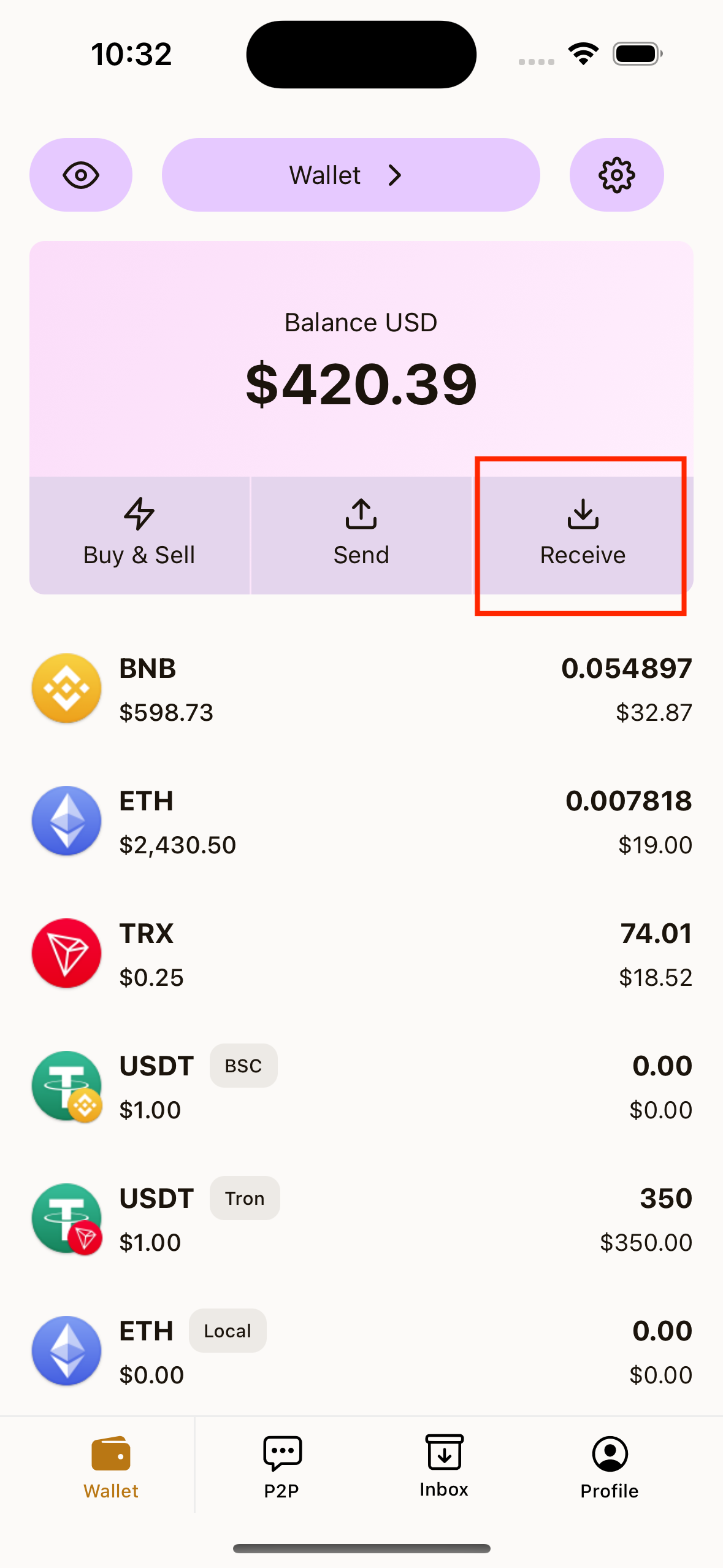
Method A: From Wallet Home
- Tap Receive on Wallet home.
- Select the token/network you want to receive.
- Show your QR code to sender, or copy your wallet address.
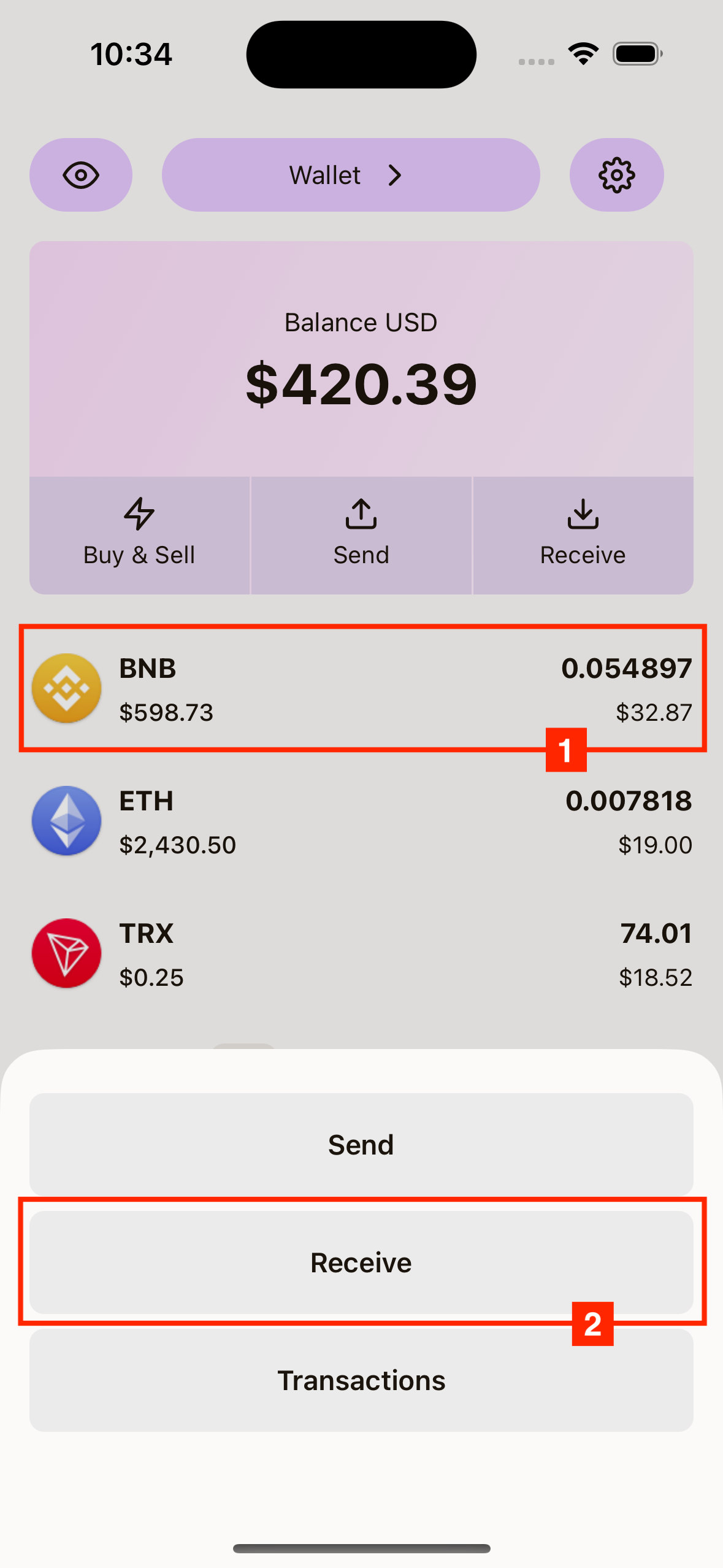
Method B: From Token List
- Tap any token in your Wallet token list.
- Tap Receive in the token action sheet.
- Share QR or copy address.
Send Crypto
- Tap Send on Wallet home.
- Choose token/network to send.
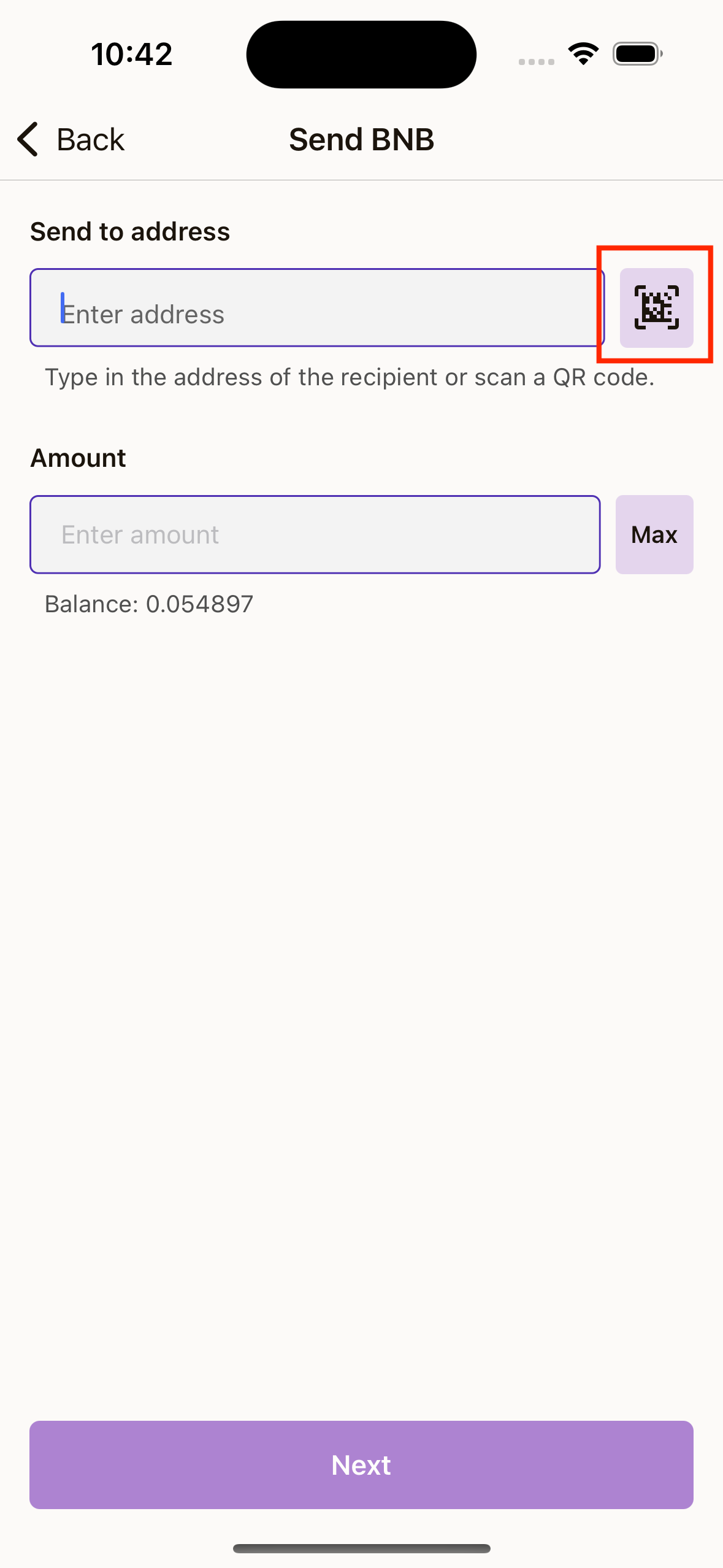
- Enter recipient address (or scan QR).
- Enter amount (or tap Max).
- Tap Next.
- Review the confirmation screen (from, to, amount, fee, network).
- Tap Confirm.
- Enter your 6-digit PIN when prompted.
- Wait for processing.
- Review the success screen.
Scan Address with QR
When entering recipient address, you can:
- Scan directly with camera
- Choose a QR image from gallery
After a successful scan, the address is filled automatically.
View On-Chain Transaction Activity
- Tap a token in Wallet home.
- Tap Transactions.
- The app opens blockchain explorer in your browser for that token/network.
Common Send Errors
- Address is required: Enter recipient address.
- Amount is required: Enter amount.
- Insufficient balance: Send amount is higher than available balance.
- Amount must be greater than 0: Enter a valid positive amount.