Wallet Overview
The Wallet module lets you:
- Create a new wallet or import an existing one
- View your token balances
- Send and receive crypto
- Manage multiple wallets
- Control wallet display settings (currency and token visibility)
What You See on the Wallet Home Screen
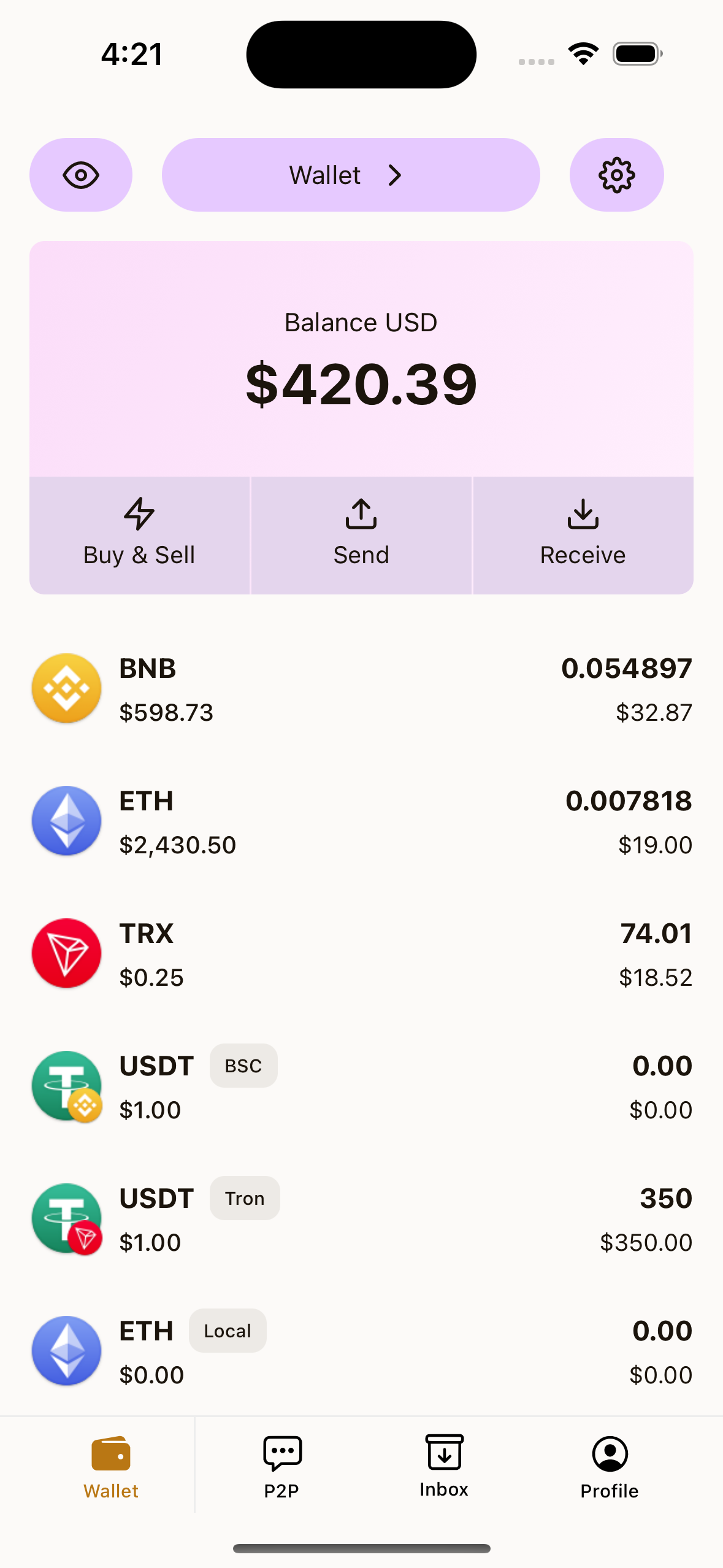
On the main Wallet screen, you will usually see:
- Top left eye icon: Show or hide balance amounts
- Wallet name (top center): Open wallet selection
- Settings icon (top right): Open wallet settings
- Balance card: Total wallet value in your selected fiat currency
- Quick actions:
Buy & Sell,Send,Receive - Token list: Your supported tokens and balances
Important Notes Before You Start
- Keep your seed phrase or private key private.
- Never share your wallet secret with anyone.
- If you lose your seed phrase/private key, recovery may not be possible.
- You do not need account registration to use basic Wallet features.